Intro and outro cards
Open on a title card and close on an outro card, both written in the story's meta.
Acme workspace
Invite a teammate
Add someone and pick what they can do
- Intro
- Open the team page
- Invite by email
- Outro
StoryCapture turns a .story script into a polished product demo video. A real browser runs it, native capture records it.
macOS and Windows · the script lives in your repo
How it works
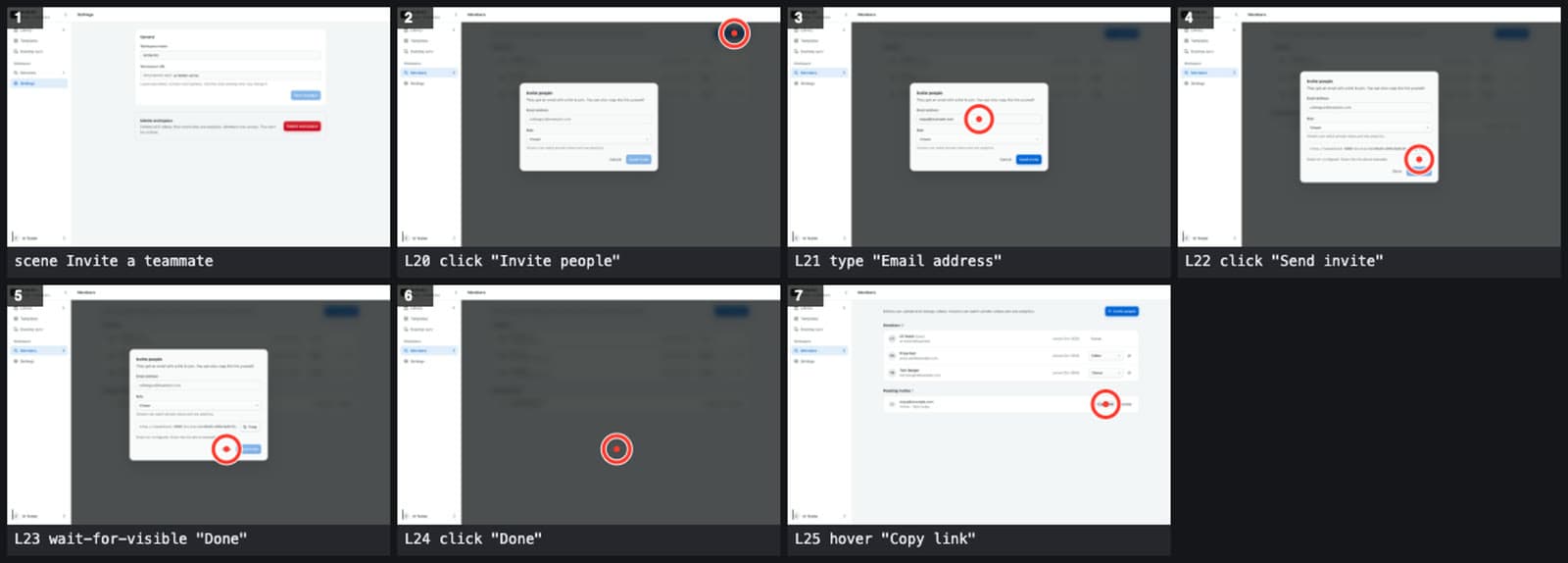
Each line is one step: a page, a click, a field to hide. Review it like code.
The simulator runs every line and marks where the pointer will land.
A real browser runs the lines. Redacted fields are masked before the first frame.
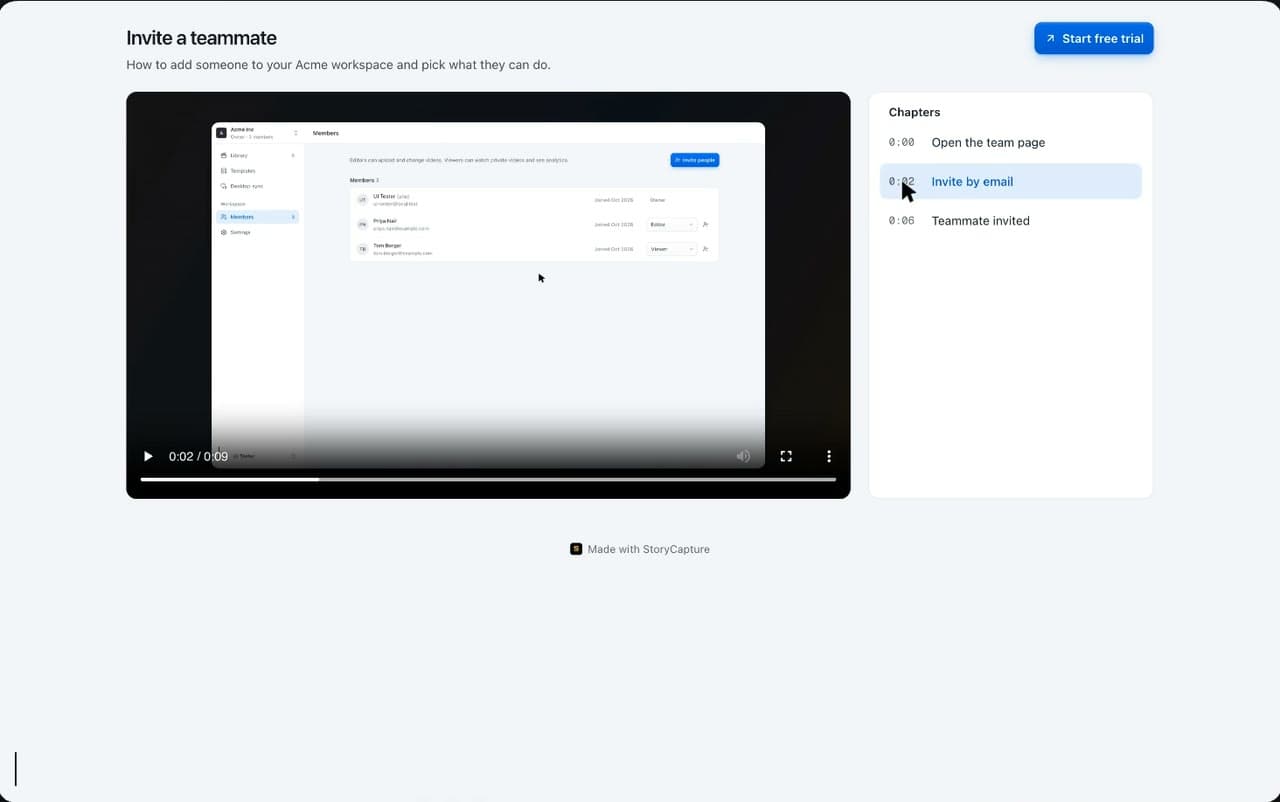
Scenes become chapters on a watch page you can send or embed.
Write
scene redact "Hide private fields" { redact text "priya.nair@example.com" solid redact text "tom.berger@example.com" solid click <link> "Members 3" hover text "priya.nair@example.com"}
Rehearse
Record
Share
Narration, subtitles, click effects and zooms come from the script, so every re-record gets them without another edit.
Open on a title card and close on an outro card, both written in the story's meta.
Acme workspace
Invite a teammate
Add someone and pick what they can do
Pick the pointer and its click effect in one line: ring, pulse, echo or press.
Captions come from the narration, with a translated track for each language you list.
Write a say line and an AI voice reads it while the steps run.
say "Invite a teammate."Export 16:9, square or vertical, with captions and chapters in the file.
A zoom on a line moves the camera to the control that matters, then back out when the step is done.
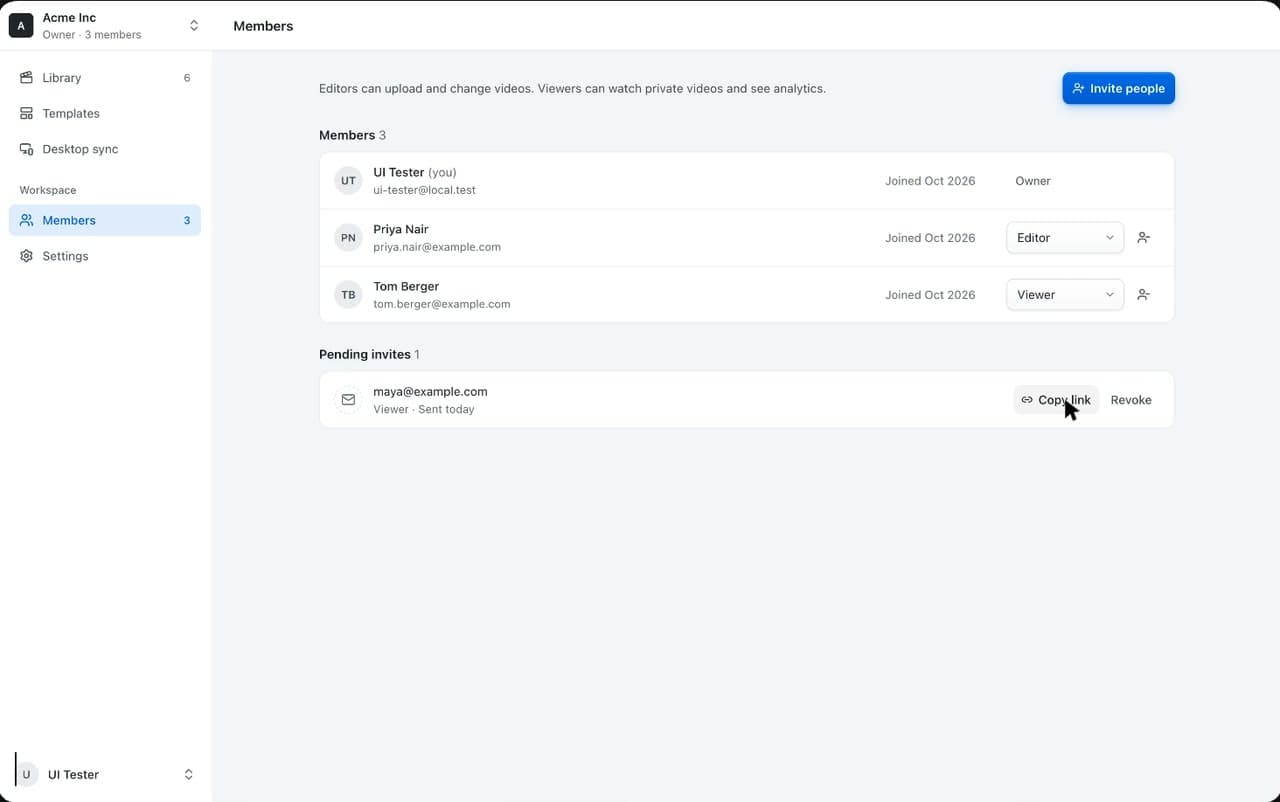
click <button> "Copy link" zoom standard
Highlight a control, hide what is private, reframe for vertical and share one link. Every touch sits on a script line, so the next recording keeps it.
click <button> "Send invite" highlight ringhover text "260" zoom standardmark text "Drop-off"
Upload a take from the desktop app, send one link, and see who watched. Videos stay private to the workspace until you share them.
Upload from the desktop app and get a watch page with chapters, ready to send or embed in your docs.
Add a button under the player that sends viewers where you want them.
Invite a teammate
How to add someone to your Acme workspace.
Start free trialInvite people by email as an owner, editor or viewer.
Plays, watch time and countries for every video, with drop-off for each scene of the script.
Drop-off by scene
Why video
Source: Wyzowl Video Marketing Statistics 2026
Click-through product tours
Website embeds and guided sales demos
Manual recording and editing
One-off videos and quick tutorials
Scripted browser automation plus native capture
Repeatable product demo videos for launches, onboarding and release notes
FAQ
StoryCapture is a script-first product demo video maker for SaaS teams. It turns a written product walkthrough into browser automation, native desktop capture, post-production, export, and web sharing.
Interactive demo software usually creates click-through tours for website visitors. StoryCapture focuses on producing polished linear videos from repeatable scripted browser flows, which is useful for launches, onboarding, support, and release communication.
Product marketers, developer advocates, founders, customer education teams, and release teams should use it when they need the same demo to be recreated consistently as the product changes.
StoryCapture overlaps with screen recording, but it adds browser automation, author-time preview, native capture, cinematic editing, export presets, and share analytics so teams can move from rough recording to publishable demo video.
Private beta
We are onboarding teams that already script launch flows, QA specs or onboarding walkthroughs and want those scripts to produce finished videos.